
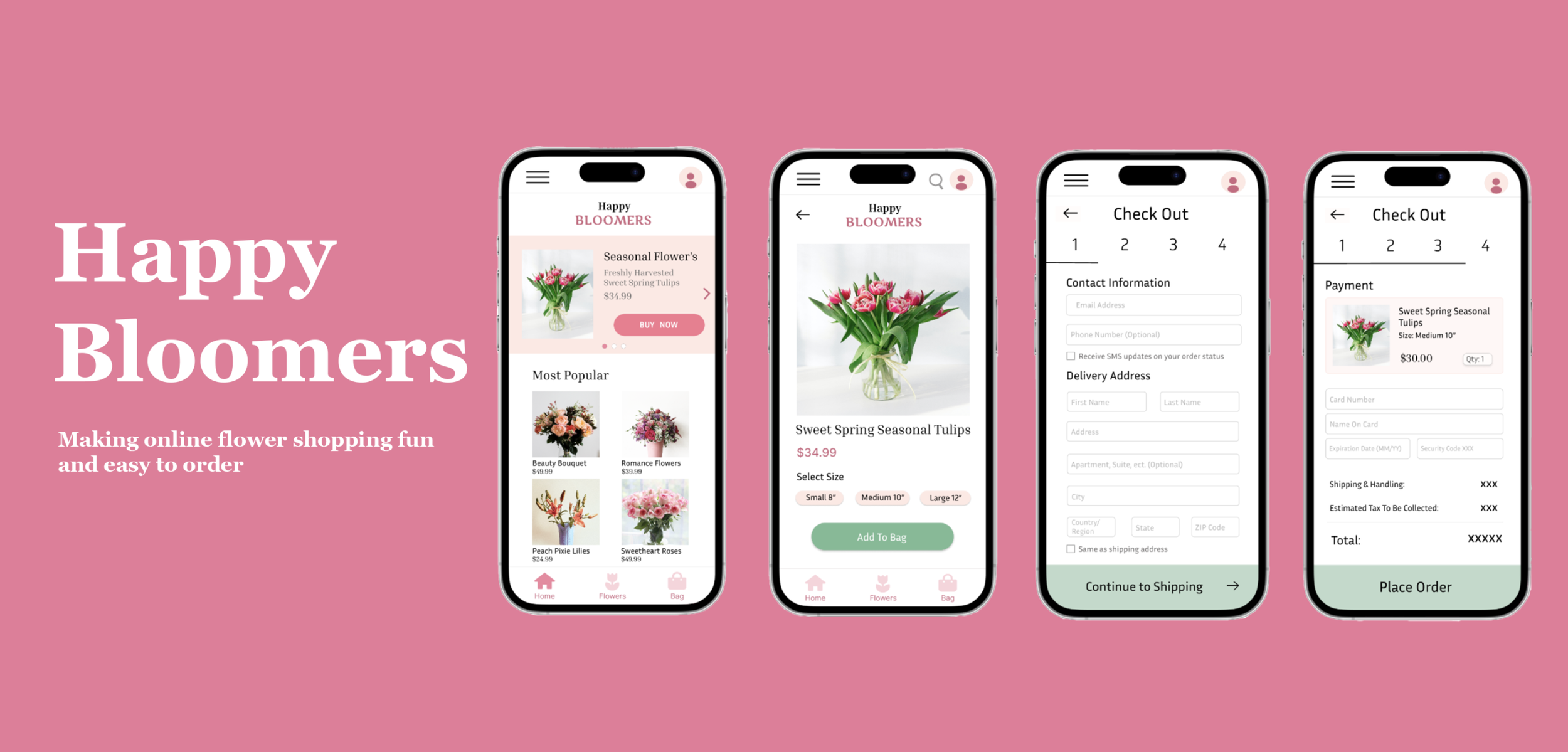
HAPPY BLOOMERS
Flowers, made simple for busy lives.
THE PROBLEM
Users with a busy schedule can struggle finding time to buy a floral gift
When shopping for flowers, especially as a gift, it can be difficult to find flowers that feel personal and meaningful. It can be a gamble going to different stores to find the right bouquet and hoping it will be within a reasonable price range. This is an especially difficult task for adults with busy schedules who don’t want to make multiple trips just to find a nice set of flowers. This often leads to frustration and stress when trying to find a meaningful, fresh gift.
How can we create an app to eliminate the challenges of flower shopping?
June - August 2024 (12 weeks)
TIMELINE
THE SOLUTION
Solo project for Coursera
I was inspired to take on this project through the Google UX Design Certificate program. I felt disappointed by my own personal experiences trying to find flowers to gift my friends. I wanted fresh flowers that seemed more personalized than many of the nearby stores.
User Interviews & Surveys
INSIGHTS
Time
Adults with long work days don’t always have the energy to pick up a last minute gift
USER PERSONA
I created a user persona and a user journey map to help empathize with the users I would be designing for.
Name: Shahar
Age: 26
Education: UCSC
Hometown: San Jose, CA
Family: Lives with parents
Occupation: Student
Researcher
USER JOURNEY MAP
Actions
TASK LIST
FEELING ADJECTIVE
IMPROVEMENT OPPORTUNITIES
Main Pain Points
Selection
1
When starting my research, I learned that my target audience was primarily adults with busy schedules who struggled to find time to pick out a flower bouquet for their loved ones. My goal was to conduct interviews to get a deeper understanding of how I can design a better functioning platform to meet my users’ needs. I contacted college students and parents with full-time work schedules.
I took the time to understand their lifestyles, as well as the common problems they experience when trying to buy the right flower arrangement.
INTERVIEW QUESTIONS
Many stores do not provide a wide selection of flowers to choose from.
Price
Not knowing the price of flower boquets until getting to the store
Background
When starting my research, Shahar is someone who works an hour away from his home. He has a long commute from home to school, and will even go to the gym multiple days a week after class. On occasions, he likes to buy flowers for friends or family, but often finds it to be a hassle. He wants an easier way to help not only pick out the right flowers, but also save him an extra trip.
Frustertrations
Shahar finds it time-consuming to pick up flower arrangements with limited selections at local grocery stores.
He noticed that many places have a limited selection
Trying to figure out what flowers to pick out for the right occasion feels like a challenge
Goals
To find an easy way to purchase flowers as a gift
Avoid the stress of driving to different stores
To find a bouquet that feels cute and personal
Selecting a plant
Decide what kind of
gift to get
Select from flower options
Select a bouquet
Im overwhelmed trying to find the exact flowers Im looking for
Create an app for a flower bouquet delivery service
Finding Flowers
Look through flower categories
Select size of bouquet
Im frustrated with the limited size options for bouquets
Include different size options for each flower arrangement
How often do you purchase a flower arrangement as a gift?
Where do you go most of the time to buy a flower boquet?
What challenges do you face when buying flowers for someone?
What do you think could be possible solutions for these challenges?
2

3
Purchasing
Add desired flowers to cart.
Begin filling out personal info
Waiting long grocery lines in stores takes up a lot of time after class
Create a simple check out process that can be done on the go
Bringing flowers home
Be alert when items arrive
Inspect quality and if theres any damage
I get worried bringing flowers home without any wilting
Create an optional subscription service for future purchases
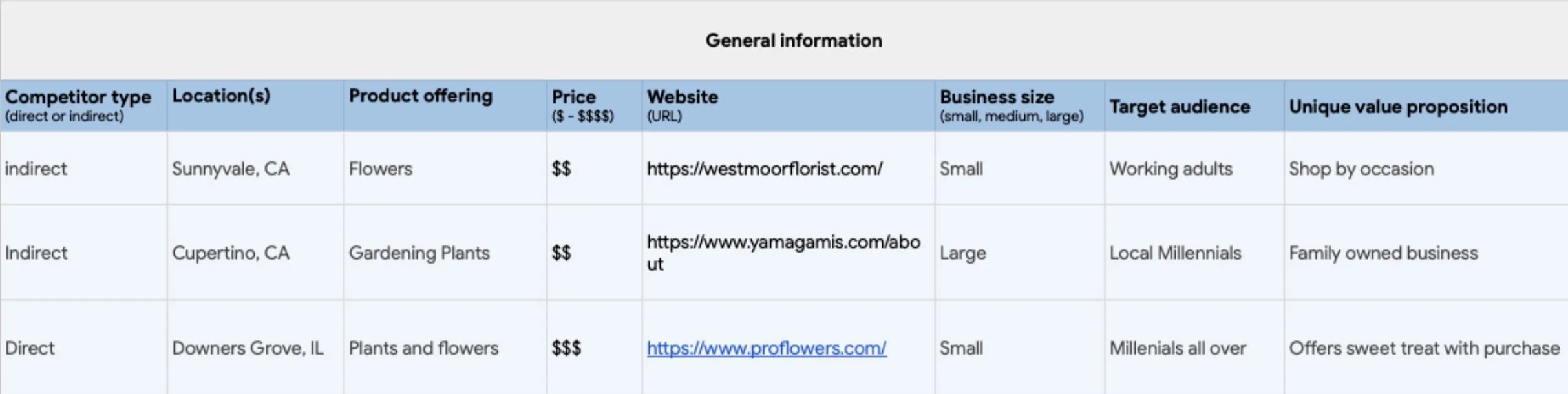
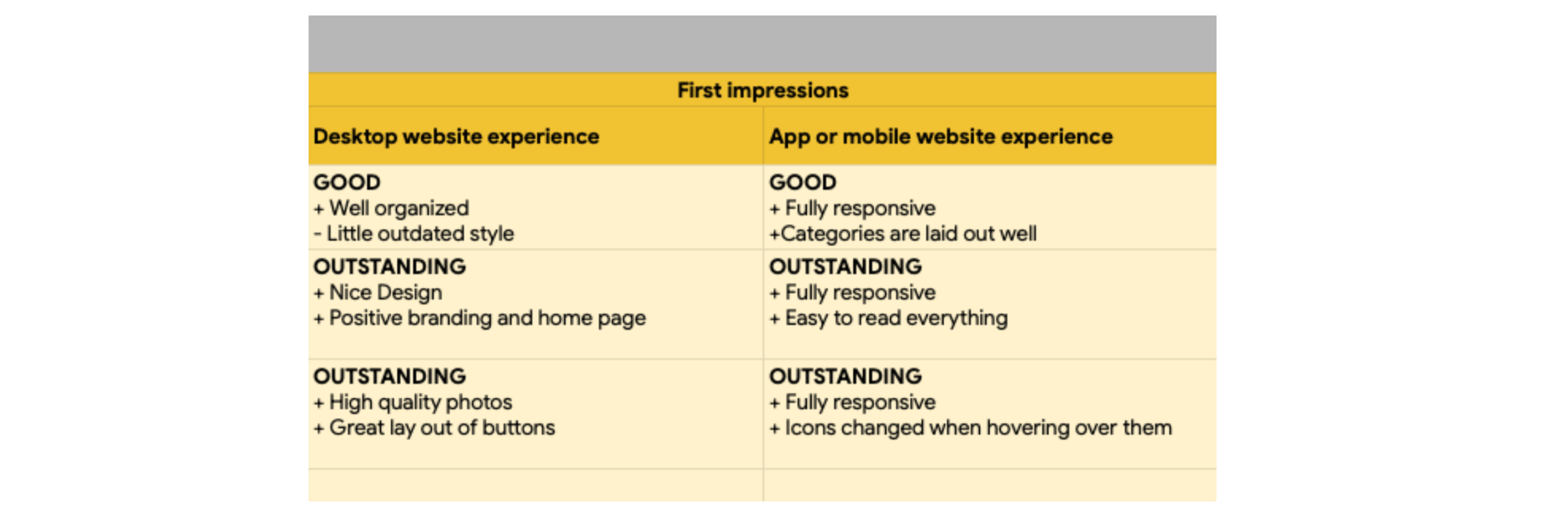
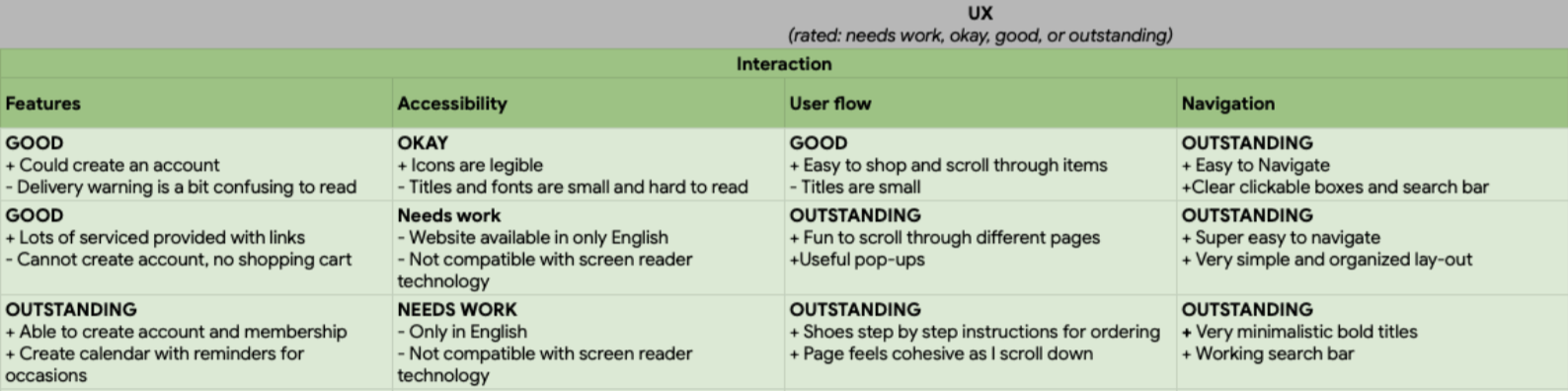
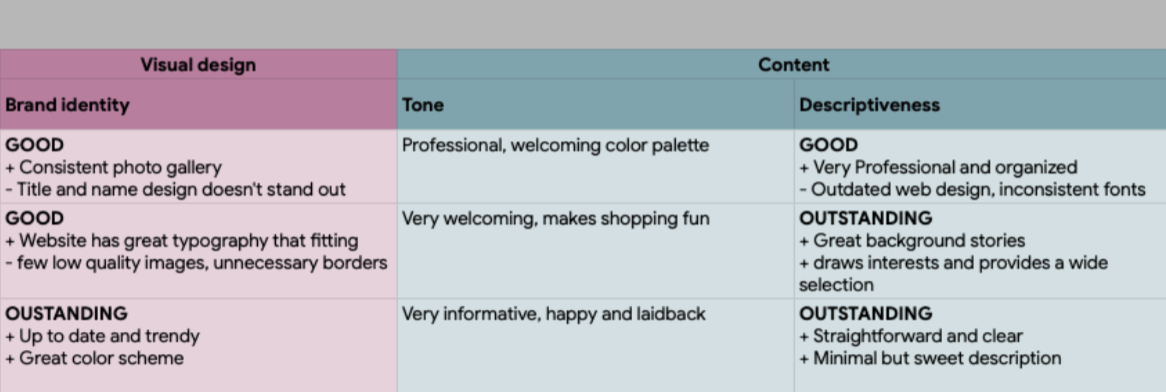
When analyzing these three local flower shops and their websites, most of them had an outdated online service. This made shopping on their websites not feel very exciting and as lively as shopping in person. They didn’t have a mobile app, which was the main issue I had established.
A simple shopping experience
Easy Check Out
Step-by-step checkout process
Save information for future purchases
A fun confirmation when orders are placed
RESEARCH
COMPETITIVE ANALYSIS
ROLE
Visual design is key to strong brand identity
Organized Browsing
Browse by flower categories
View different flower themes
Selections that feel custom-picked
Figma
Adobe Photoshop
TOOLS
TAKEAWAYS
None of my competitors offered a mobile app, so I wanted to help my users reimagine their floral shopping experience. I focused on ways of exploring ways to create a minimal step and exciting shopping experience.

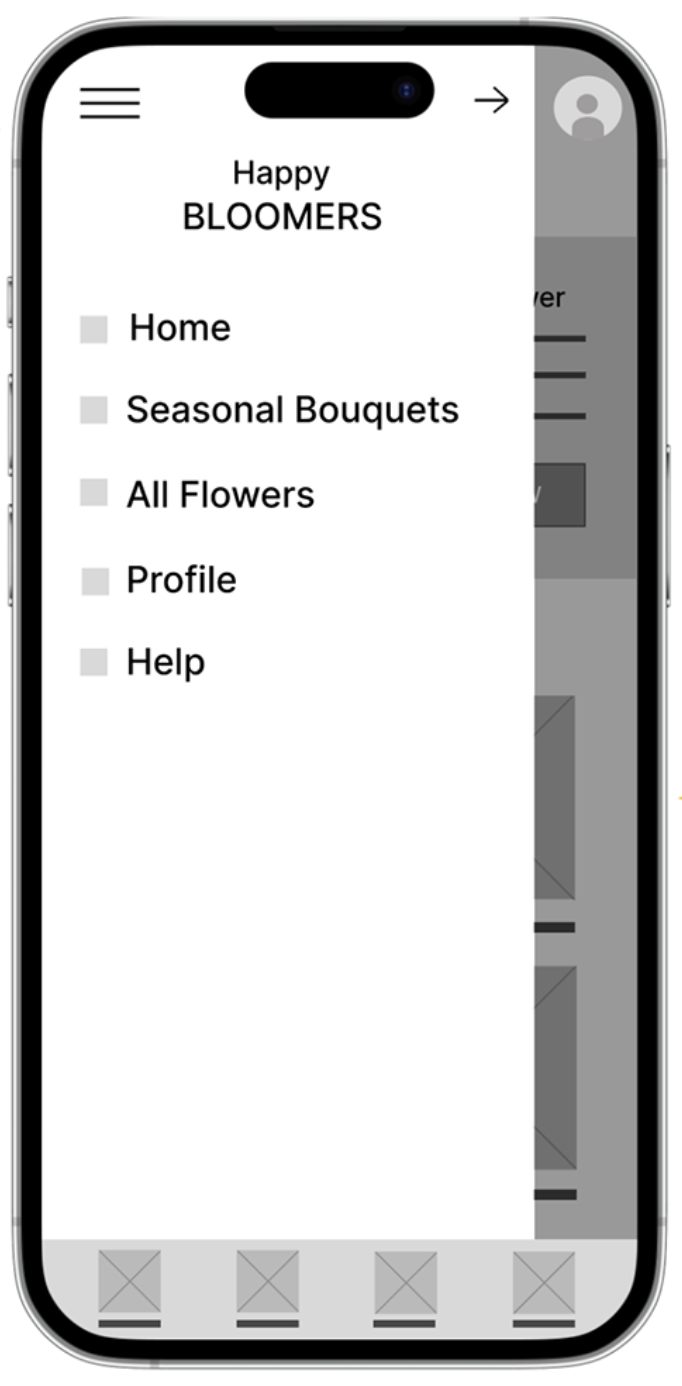
Sidebar pop up that provides more categories to browse

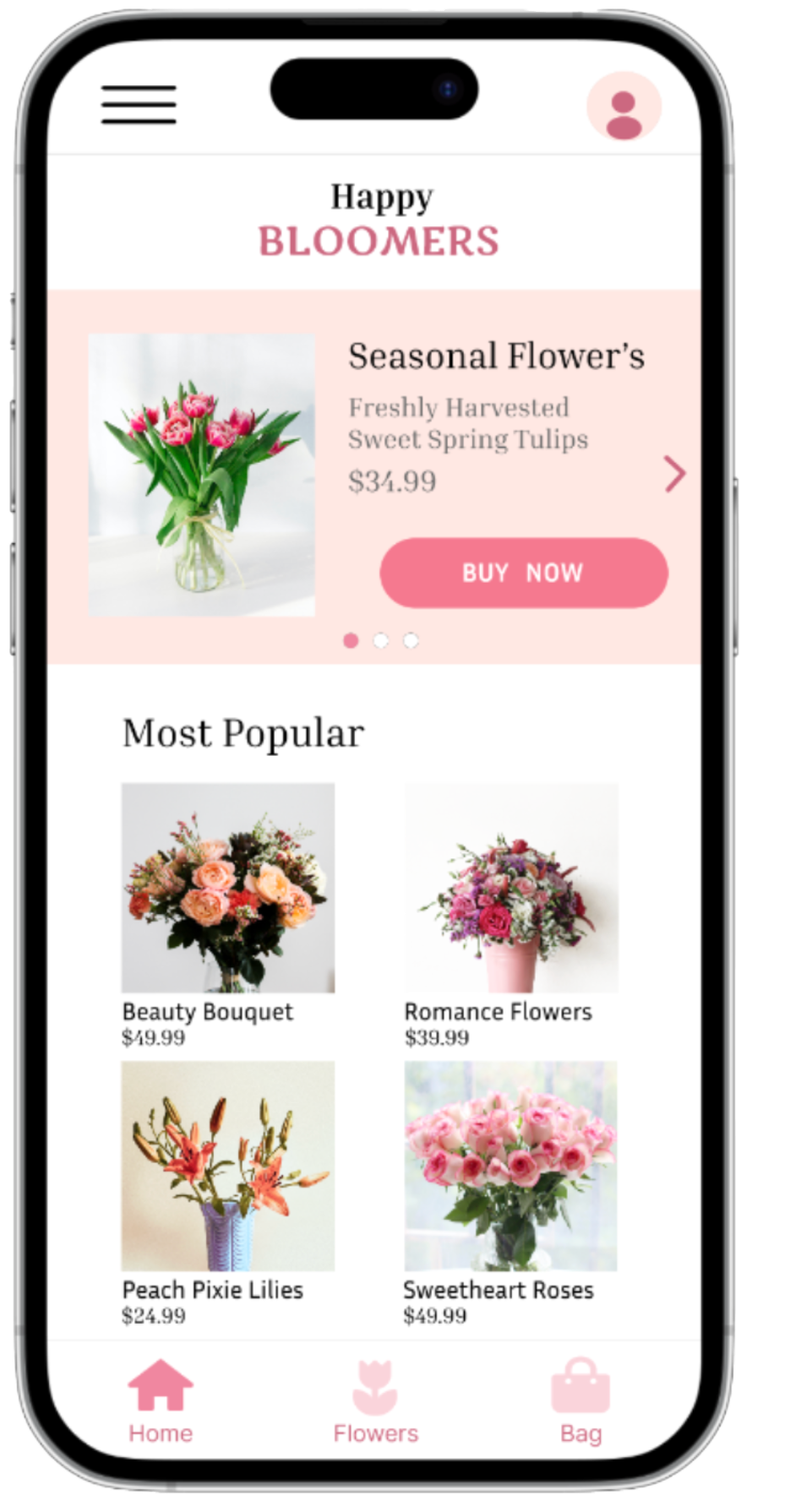
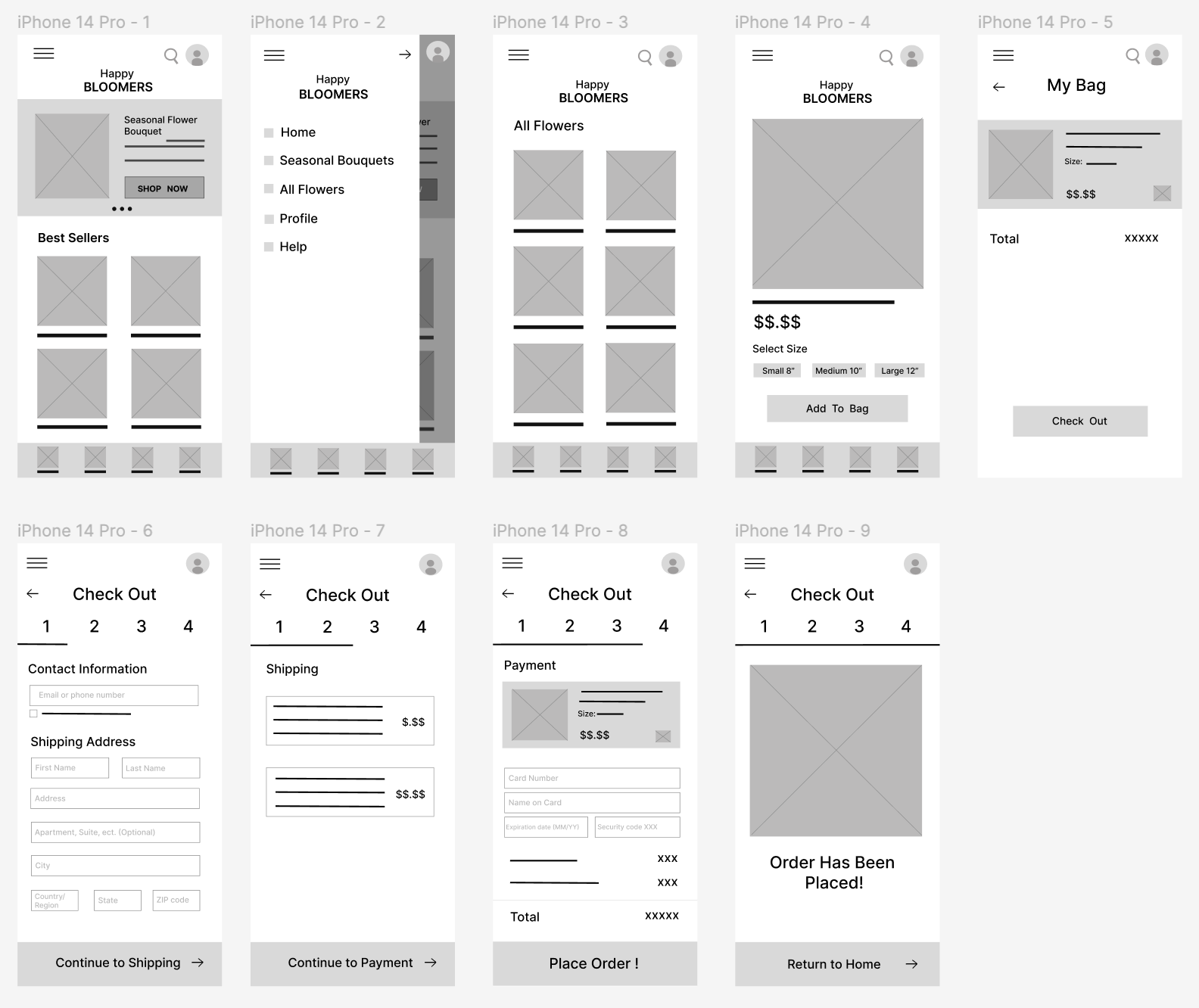
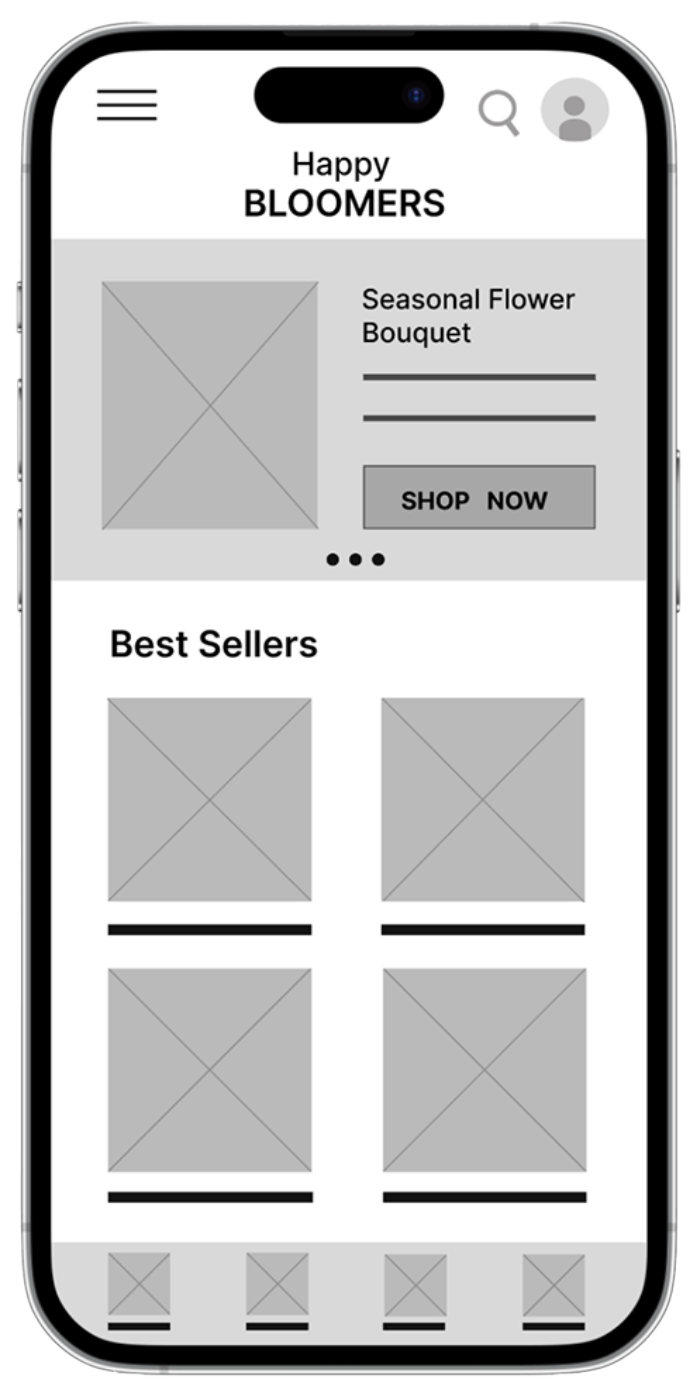
The “SHOP NOW” button provides a direct pathway to seasonal flower selection.
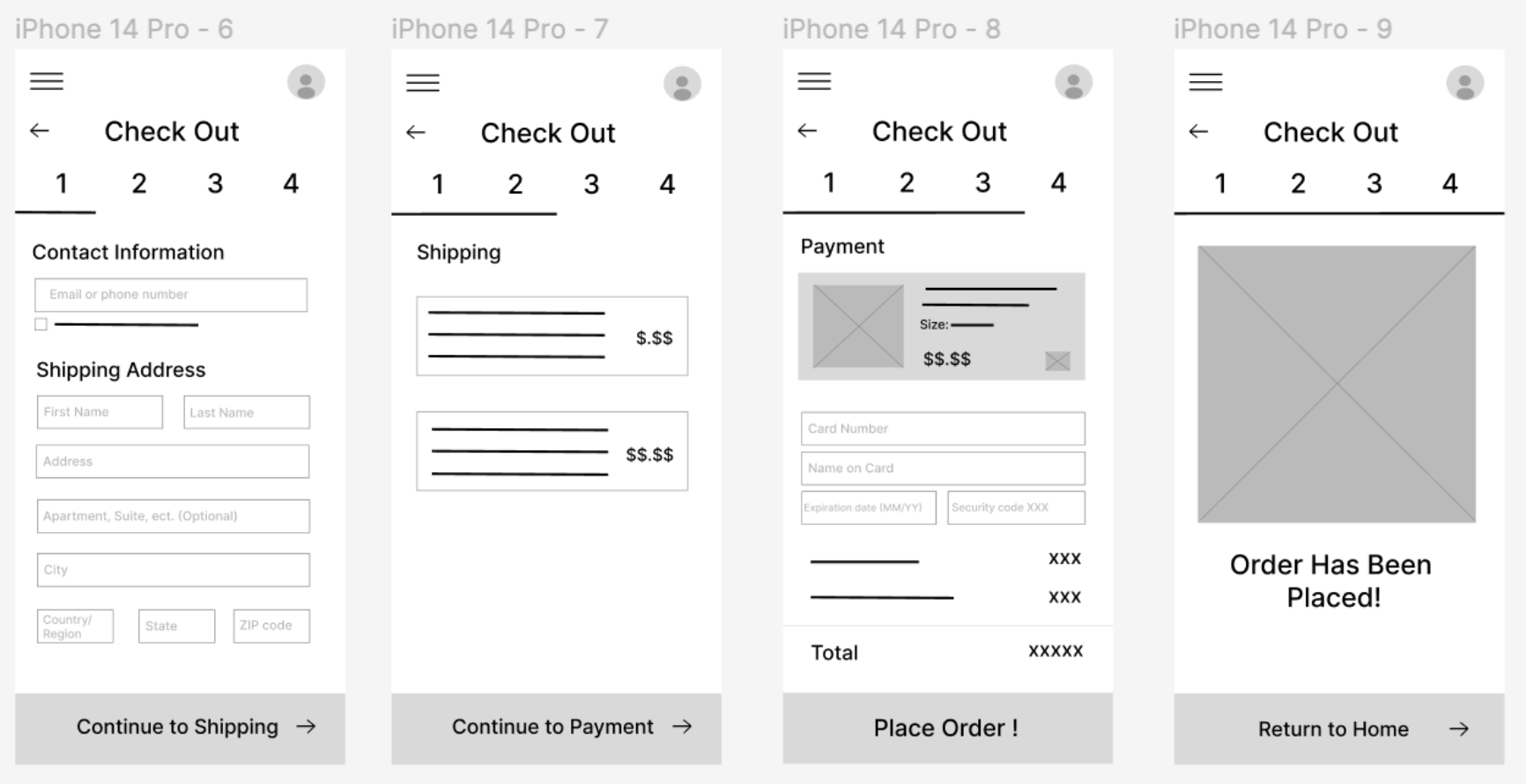
Key Wireframes
TESTING
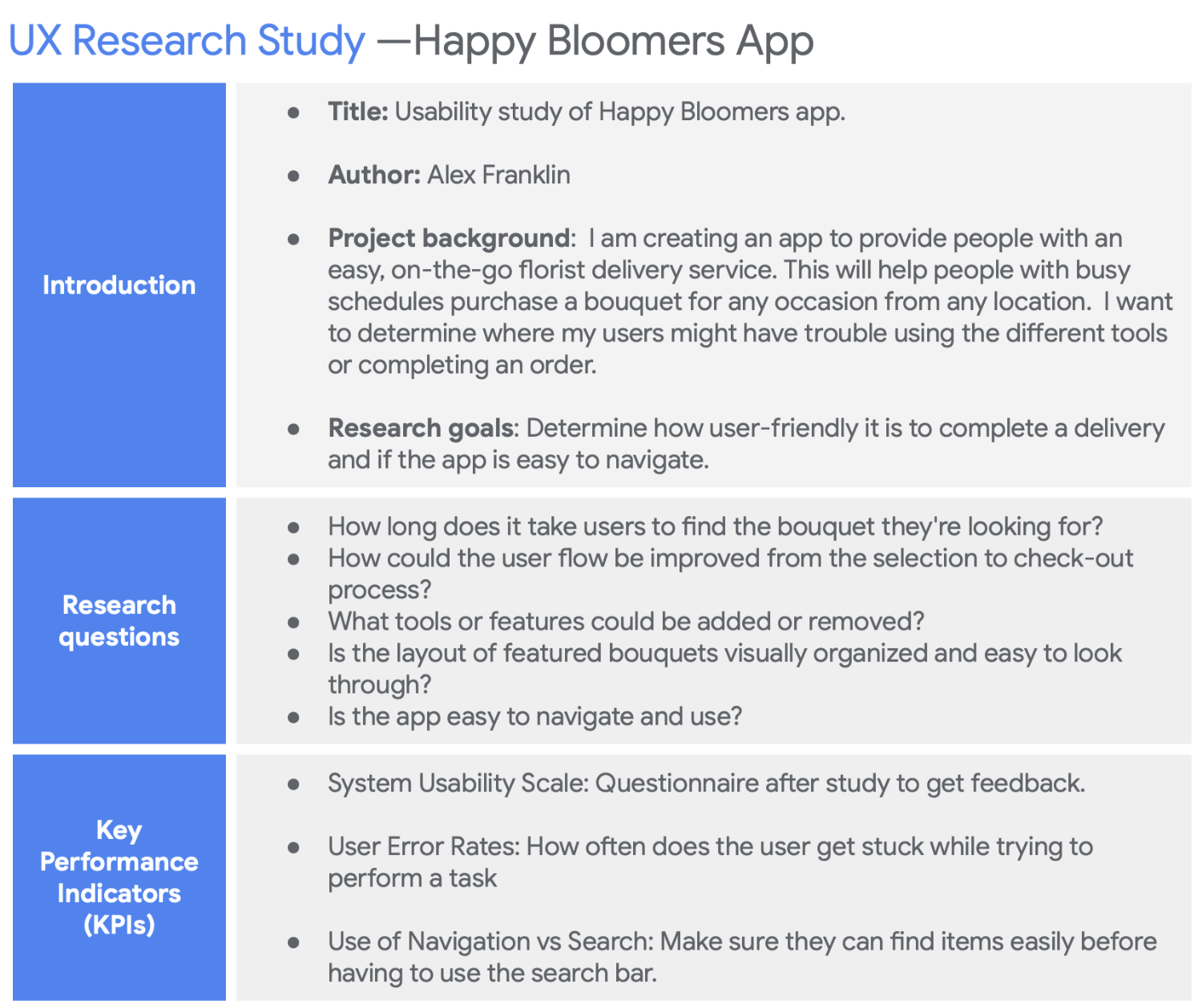
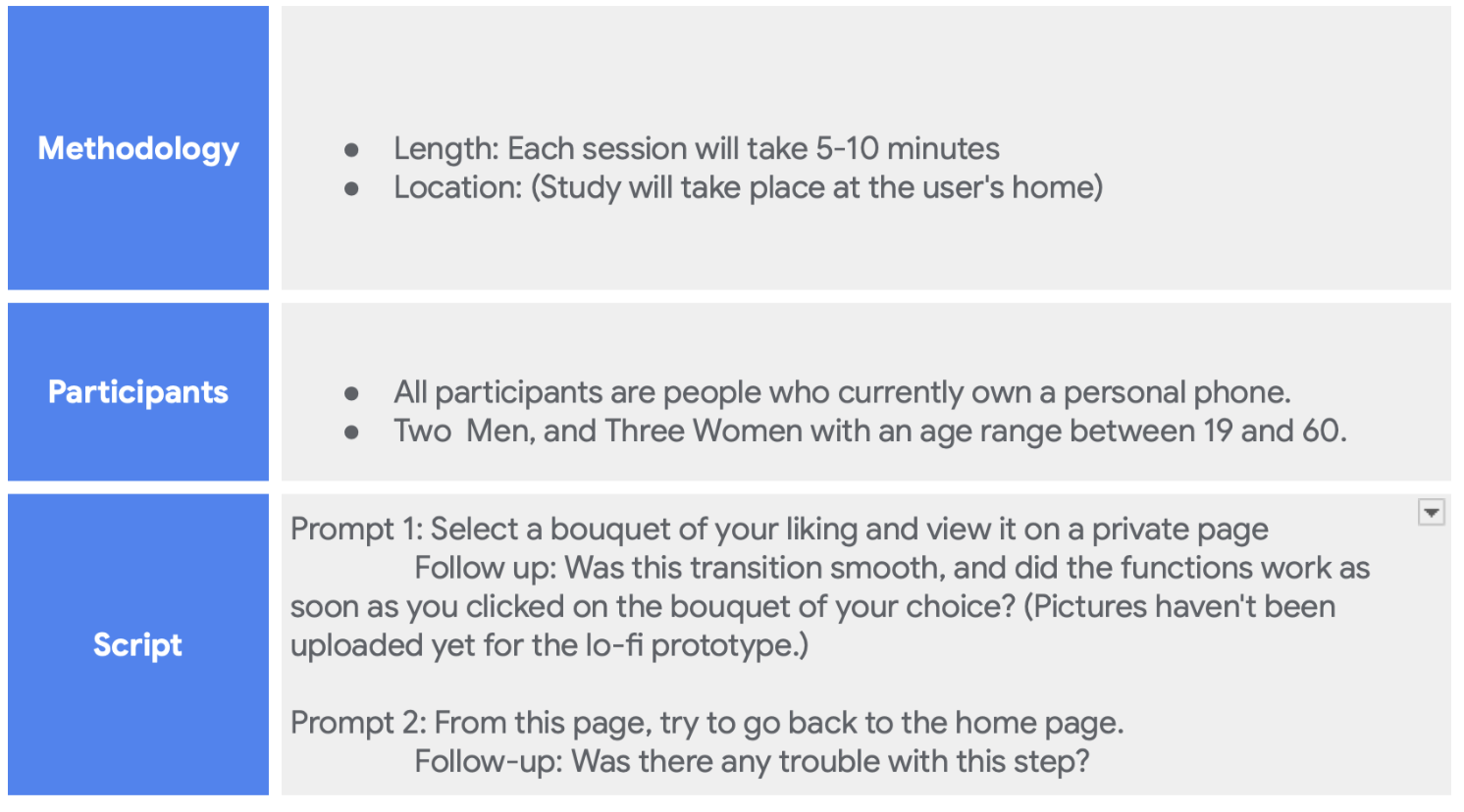
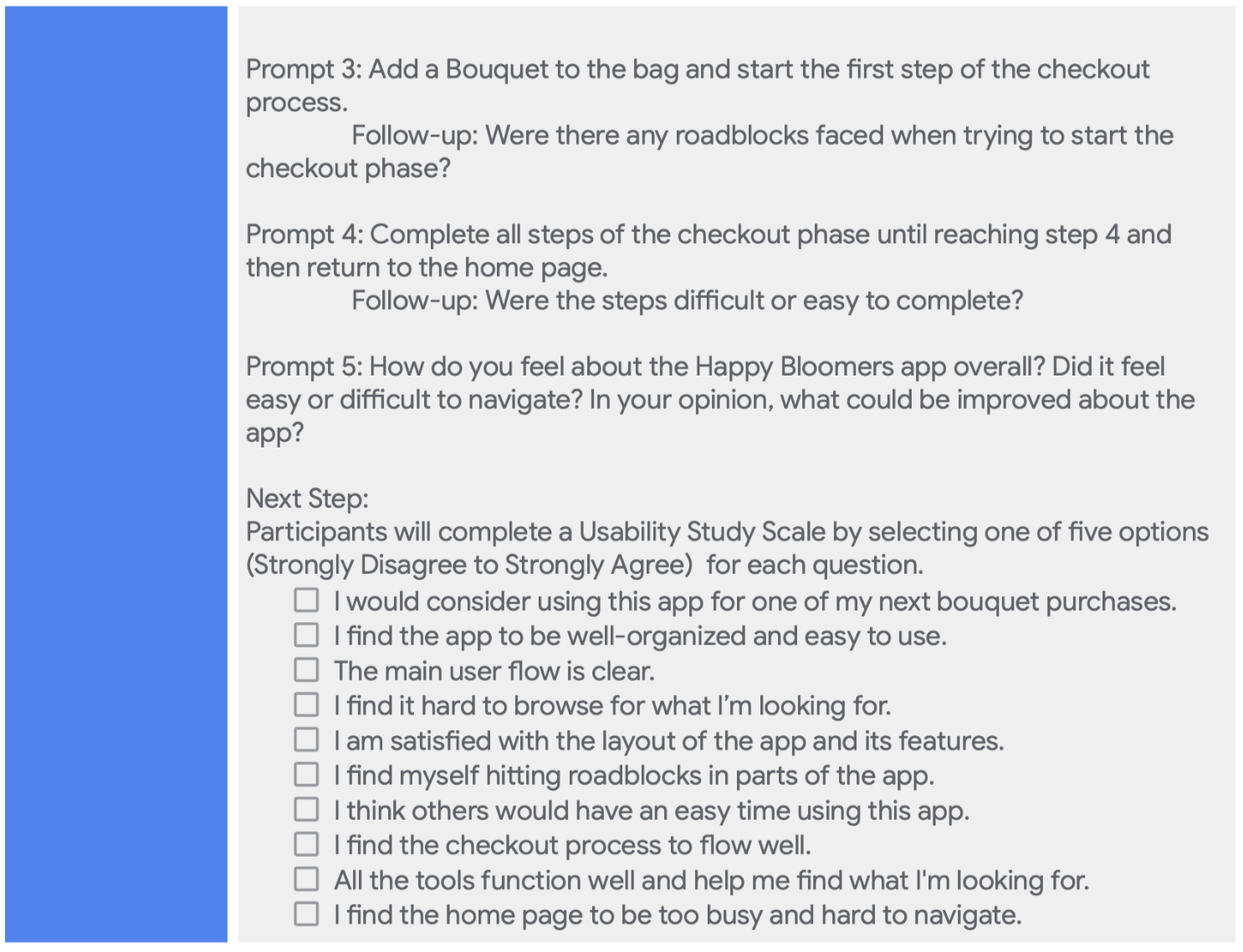
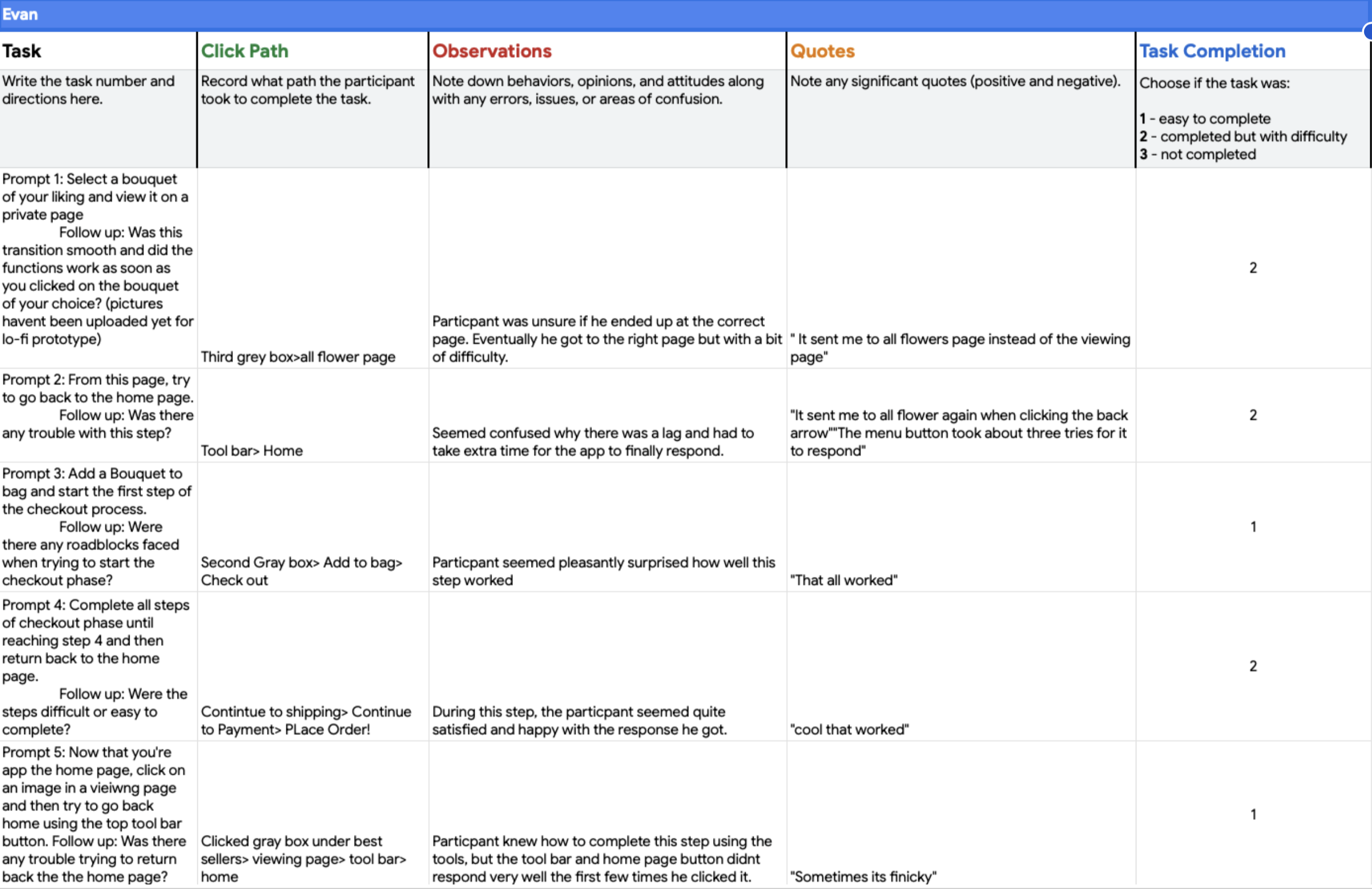
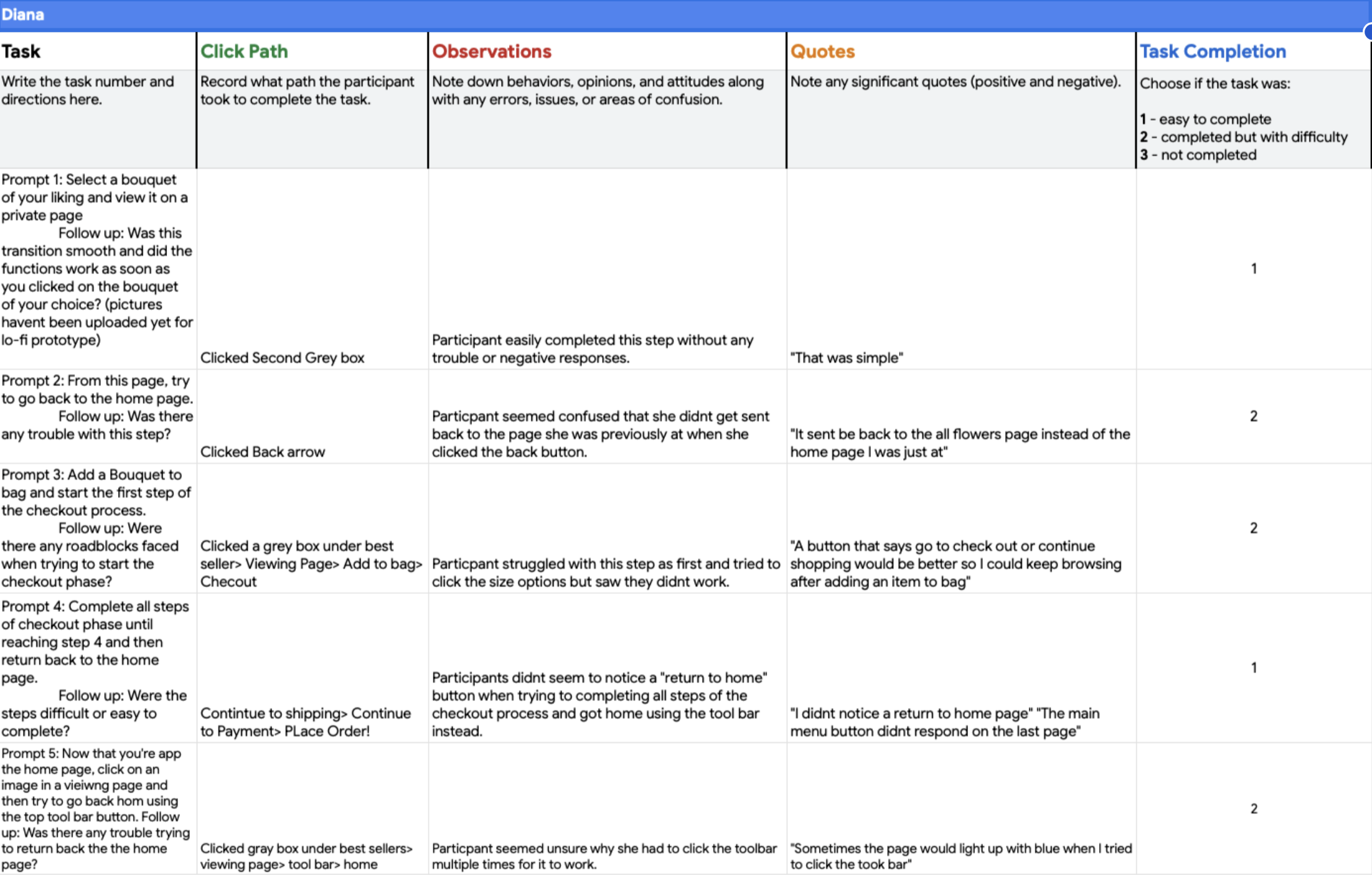
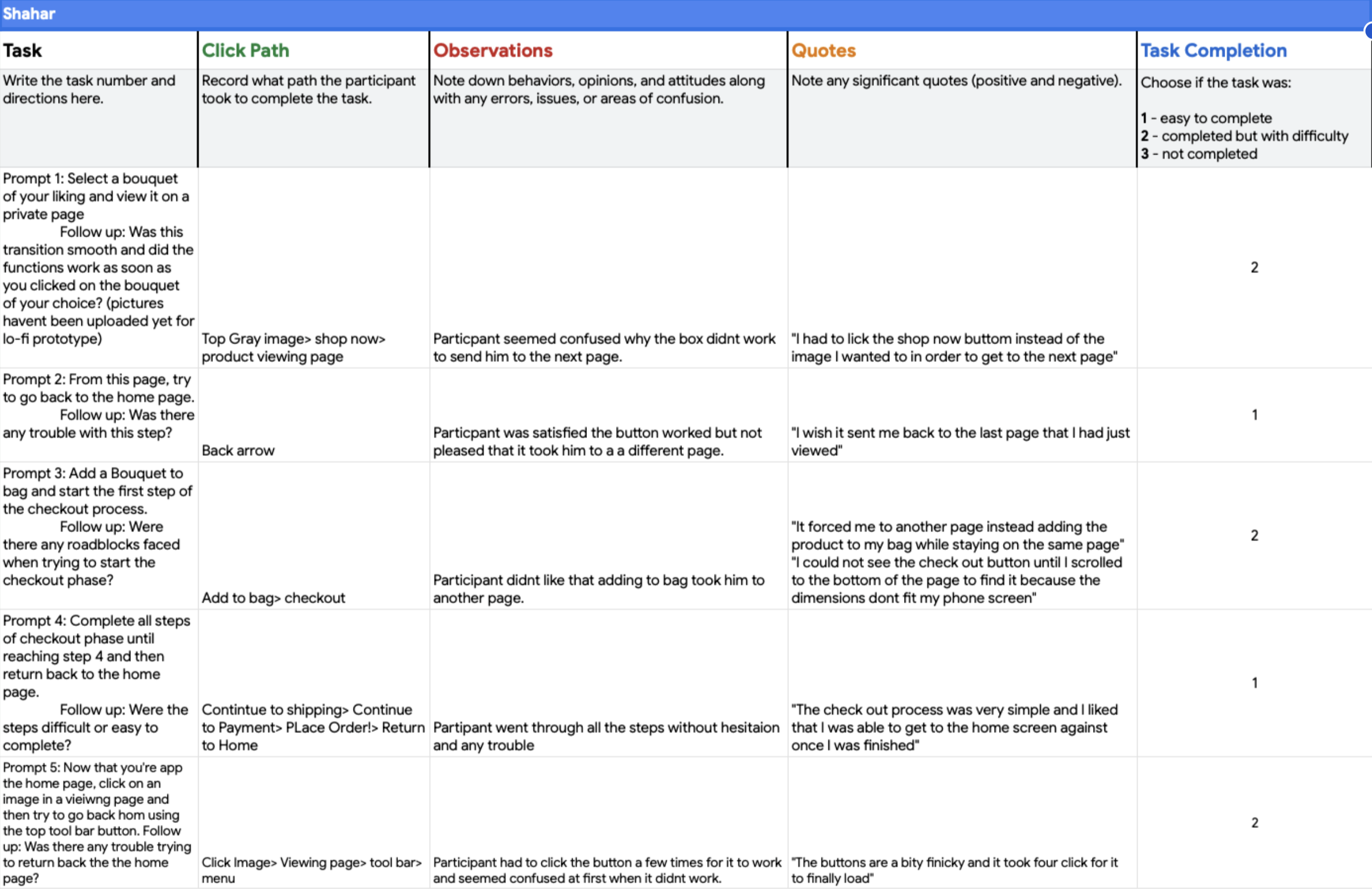
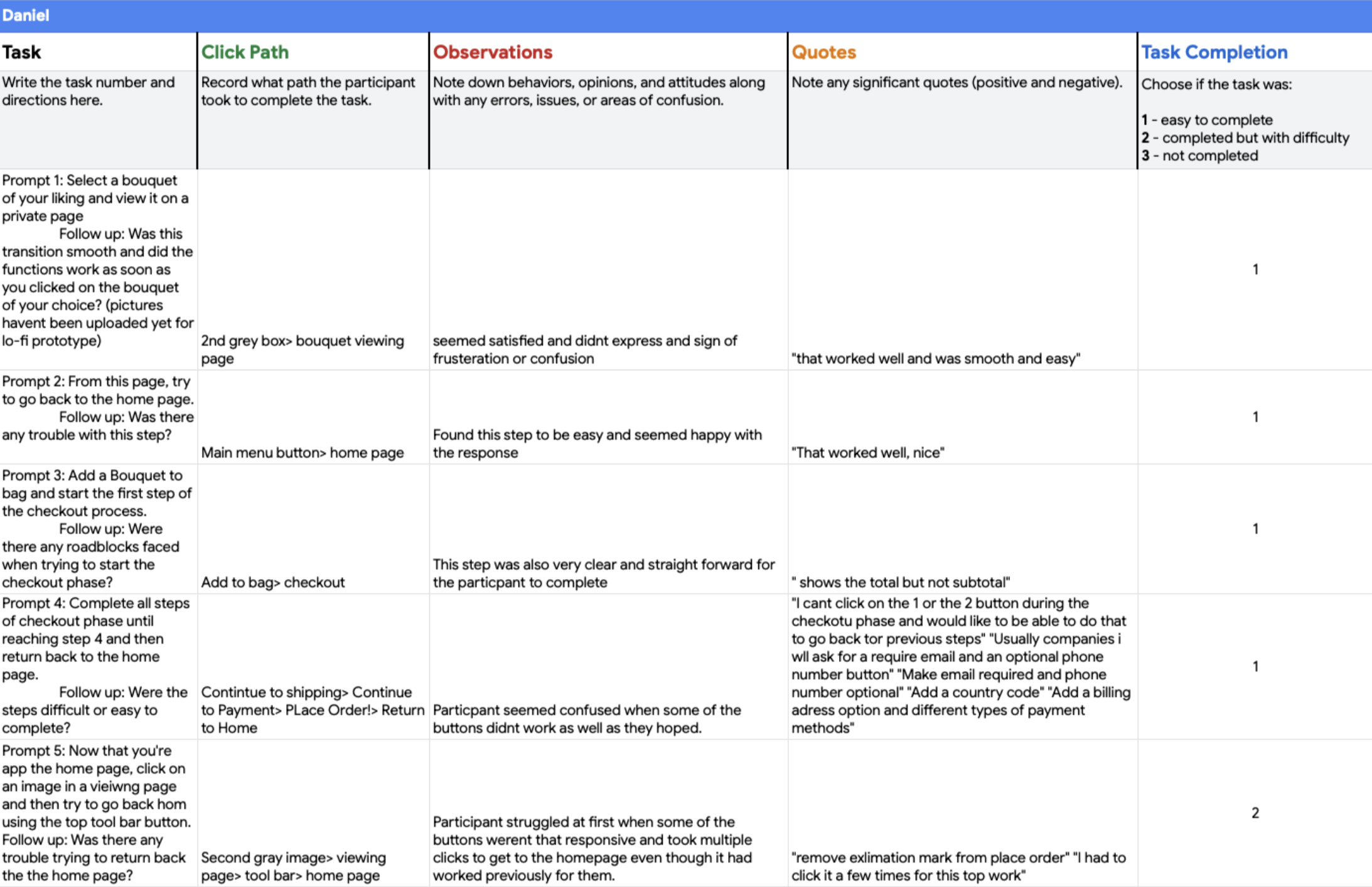
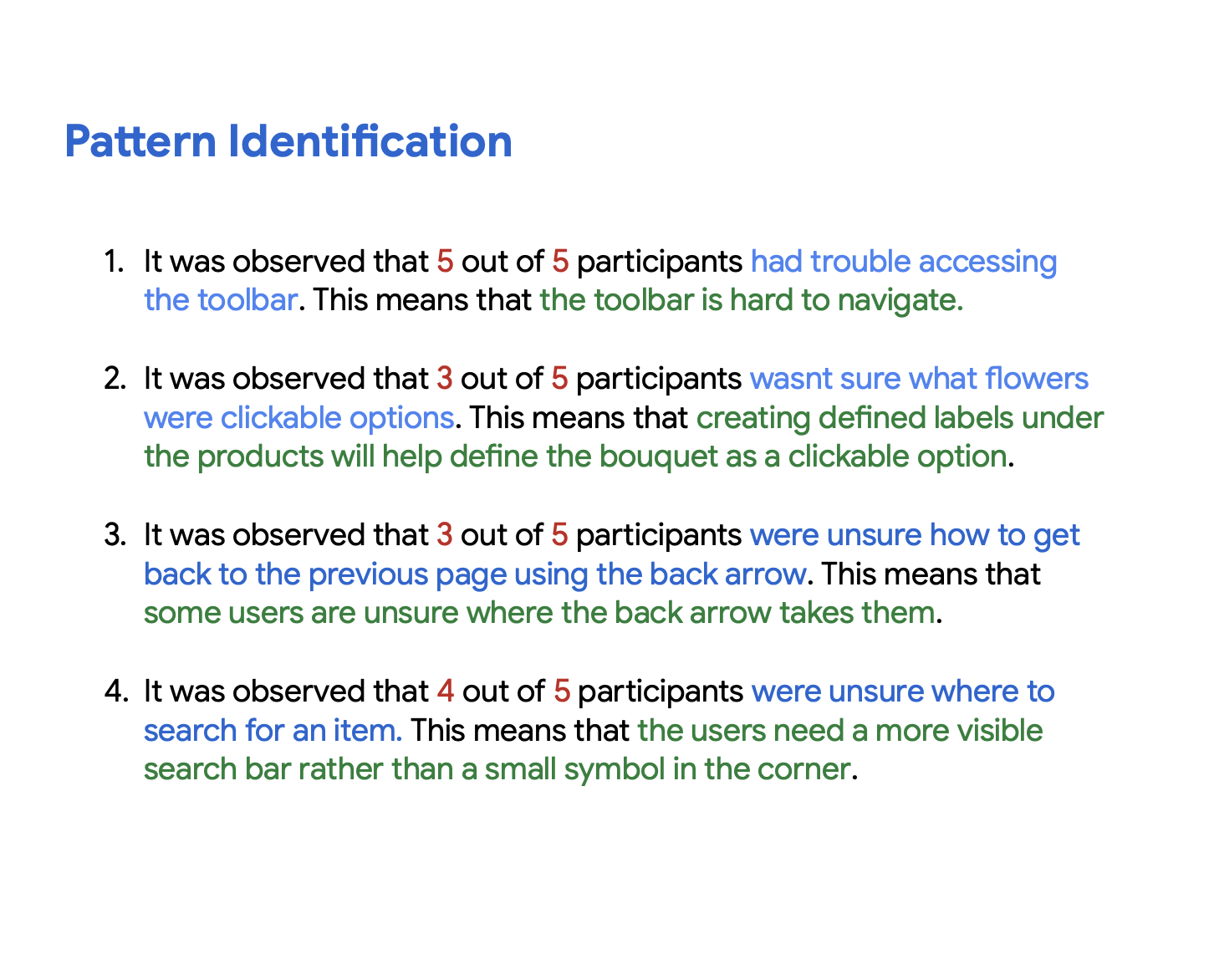
A Moderated Usability Test
With the low-fi wireframes I created, I went ahead and tested them using a prompt I created. This helped to make sure that the tests were all moderated consistently, leading to more accurate findings.
Keeping the homepage still visible while using the menu icon will prevent users from getting lost from the page they were just on
Branding
Digital Wireframes
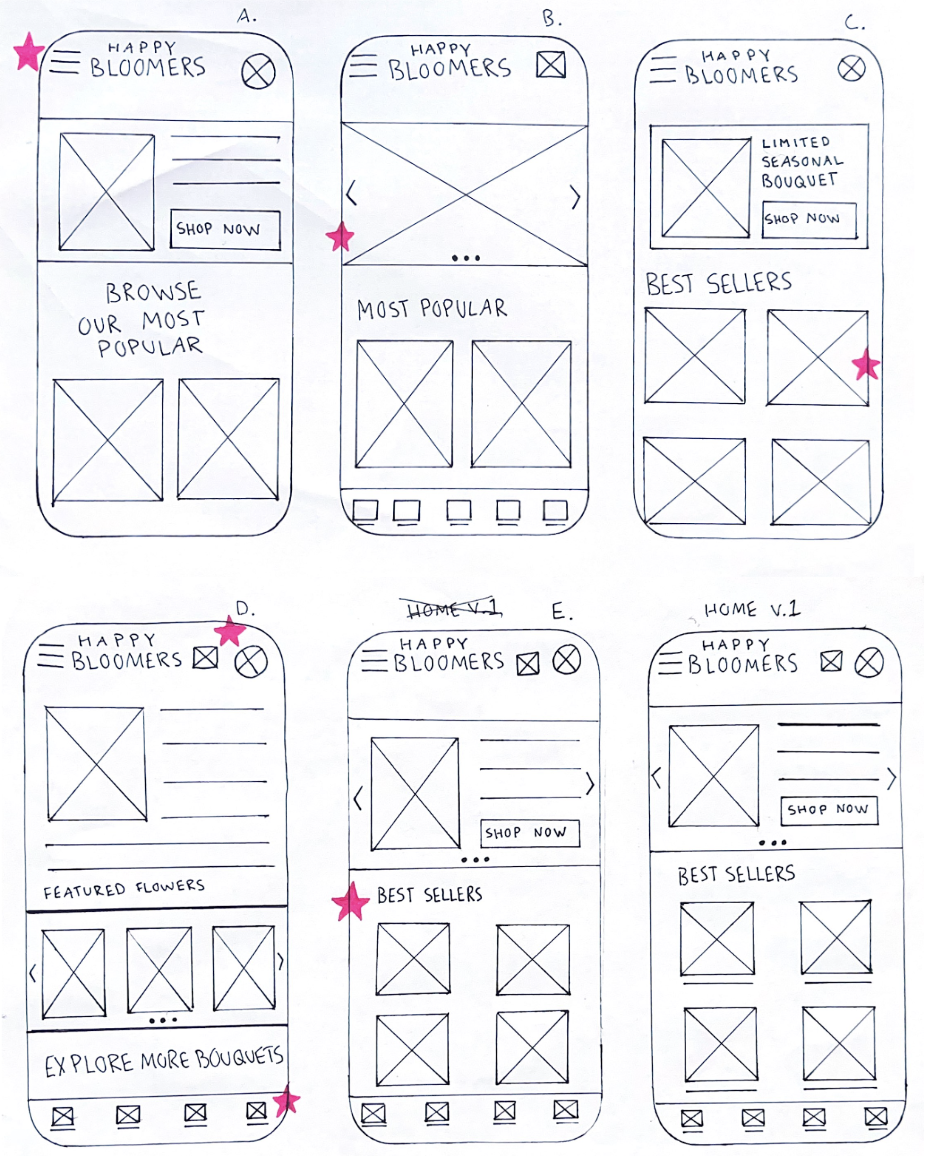
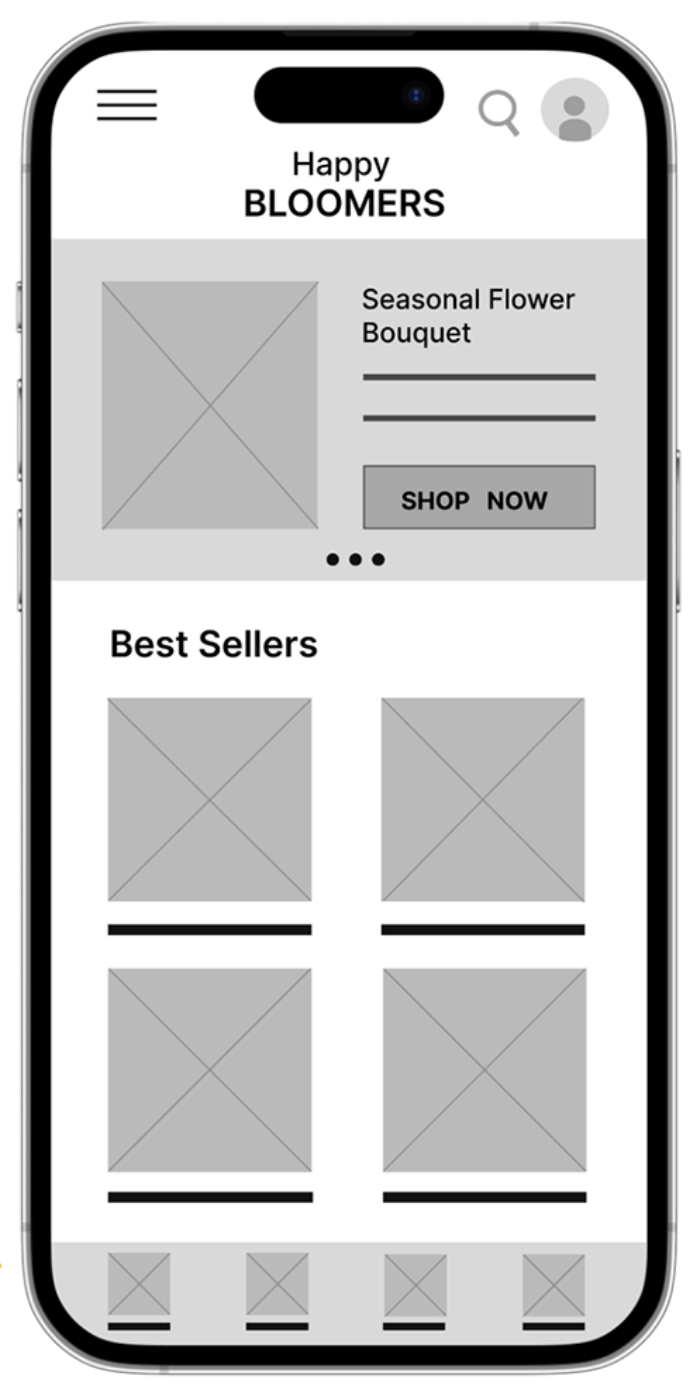
My goal was to keep the home page simple by not having too much text to focus on, adding multiple floral images to each page.
I used stars to indicate features I wanted to keep in my first prototype.
Low-fidelity Prototypes
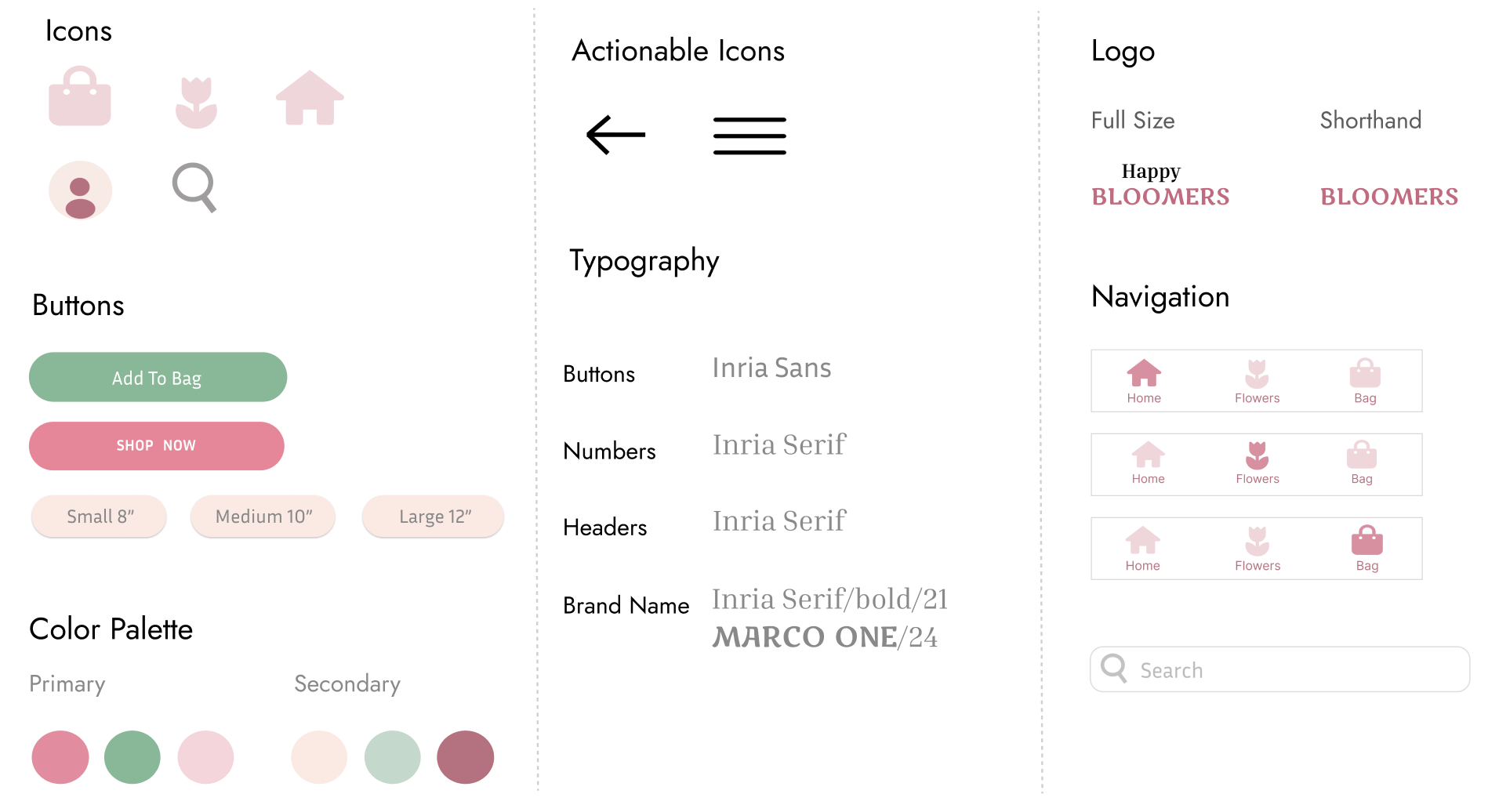
I made sure the headers and labels had distinct contrast to make each page legible. I grouped images in proximity to show they corresponded with one another.
Creating Wireframes
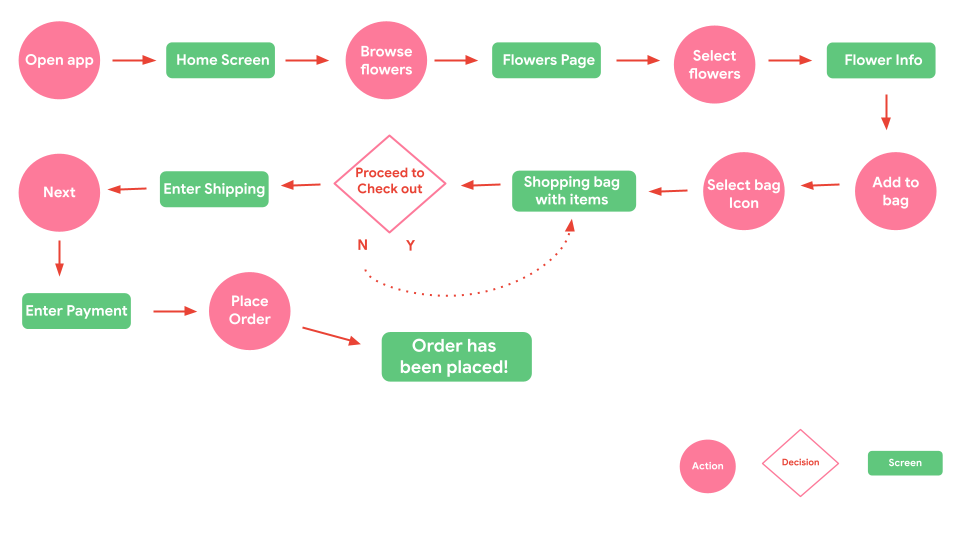
I created a simple pathway to guide users from browsing for flowers to the checkout process.
The User Flow
RESULTS
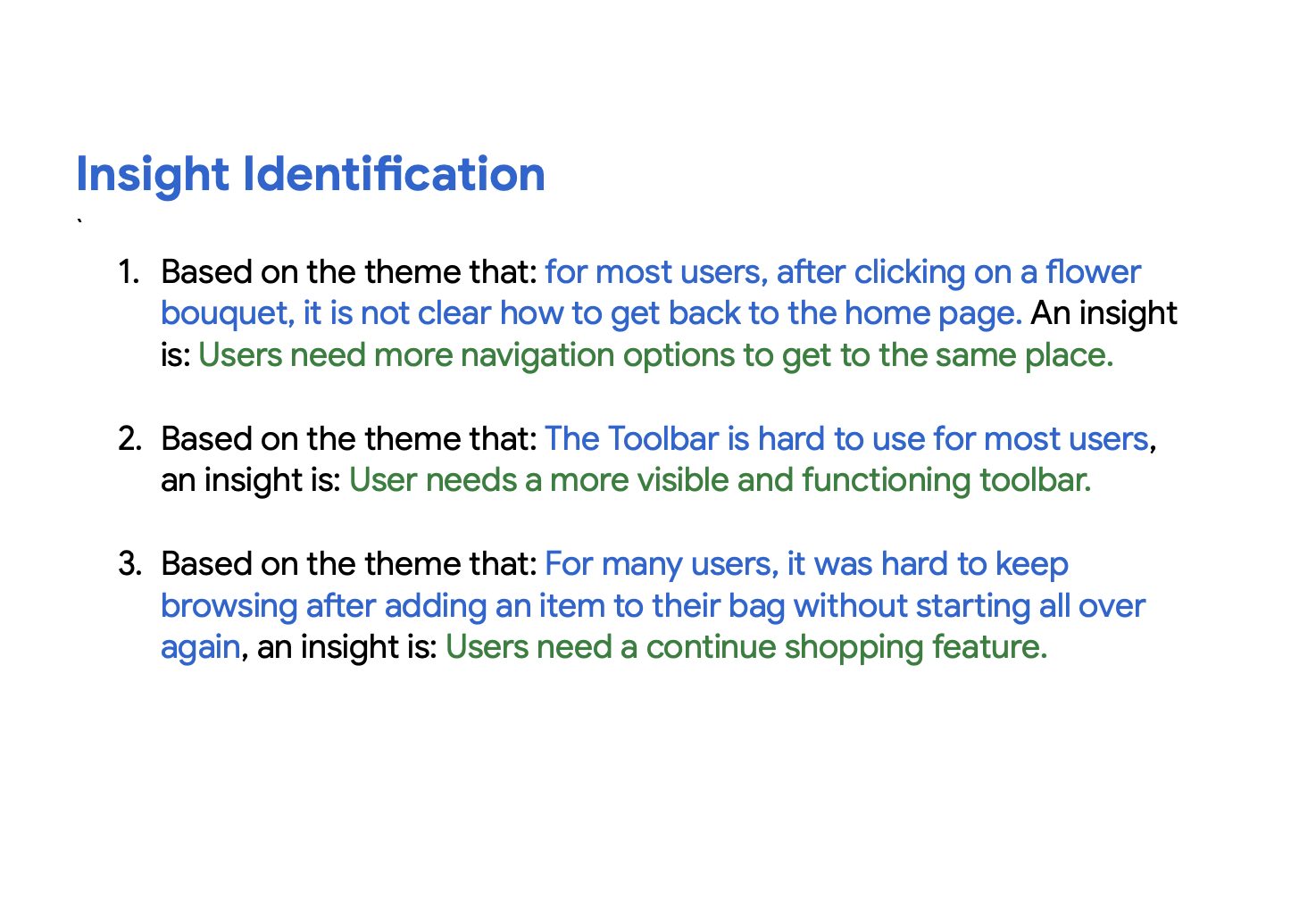
Creating more ways to navigate is key
I learned that everyone has their own idea of what’s intuitive when navigating an app. It made me realize that I should create more paths for my users to explore when going back and forth between pages.

I used a bright and contrasting color palette that resembled the colors of fresh flowers and leaves. I used only accent colors of greens and pinks in pastel shades to feel soft and calm.
ITERATIONS
Making refinements
DESIGN
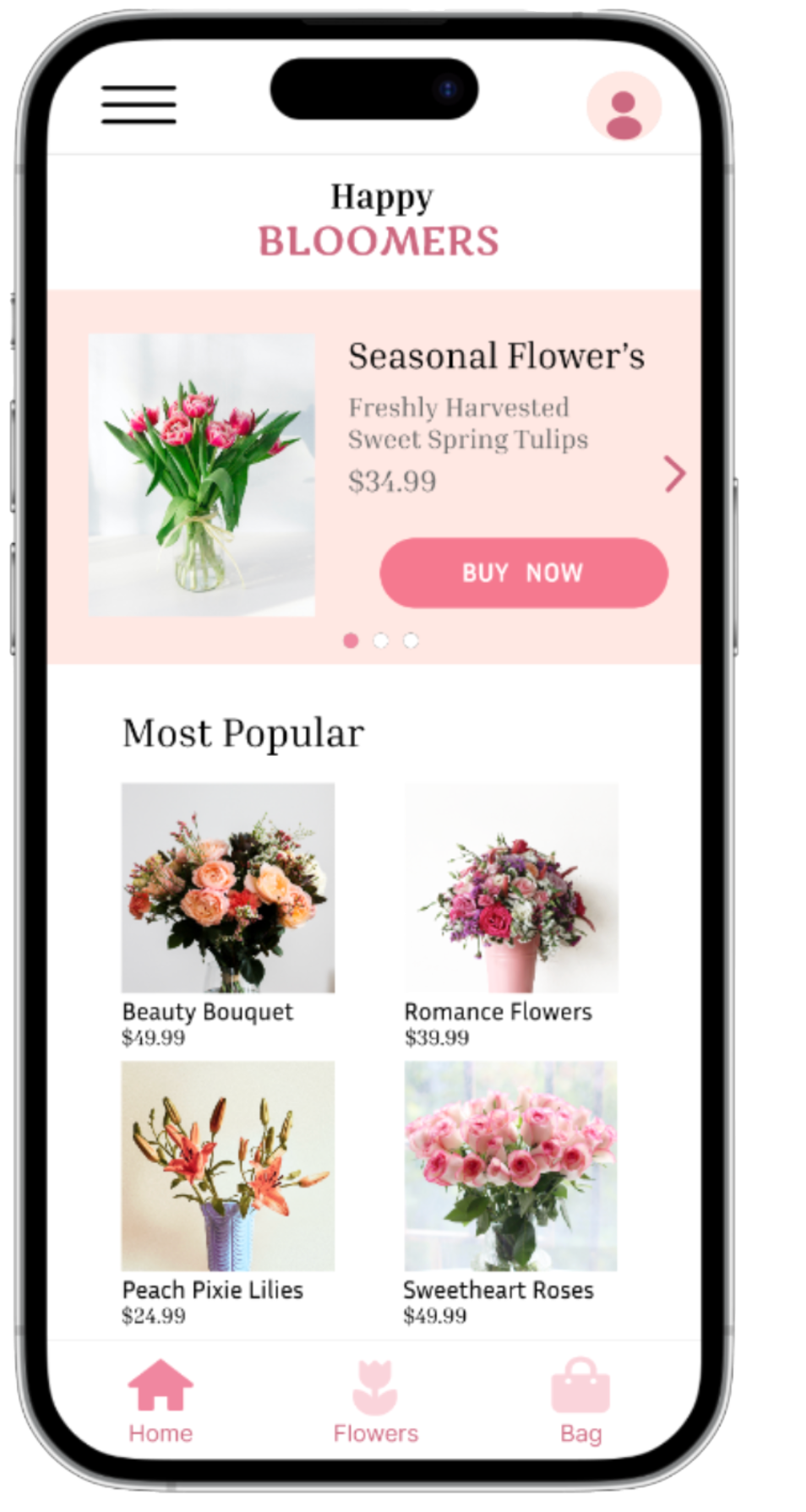
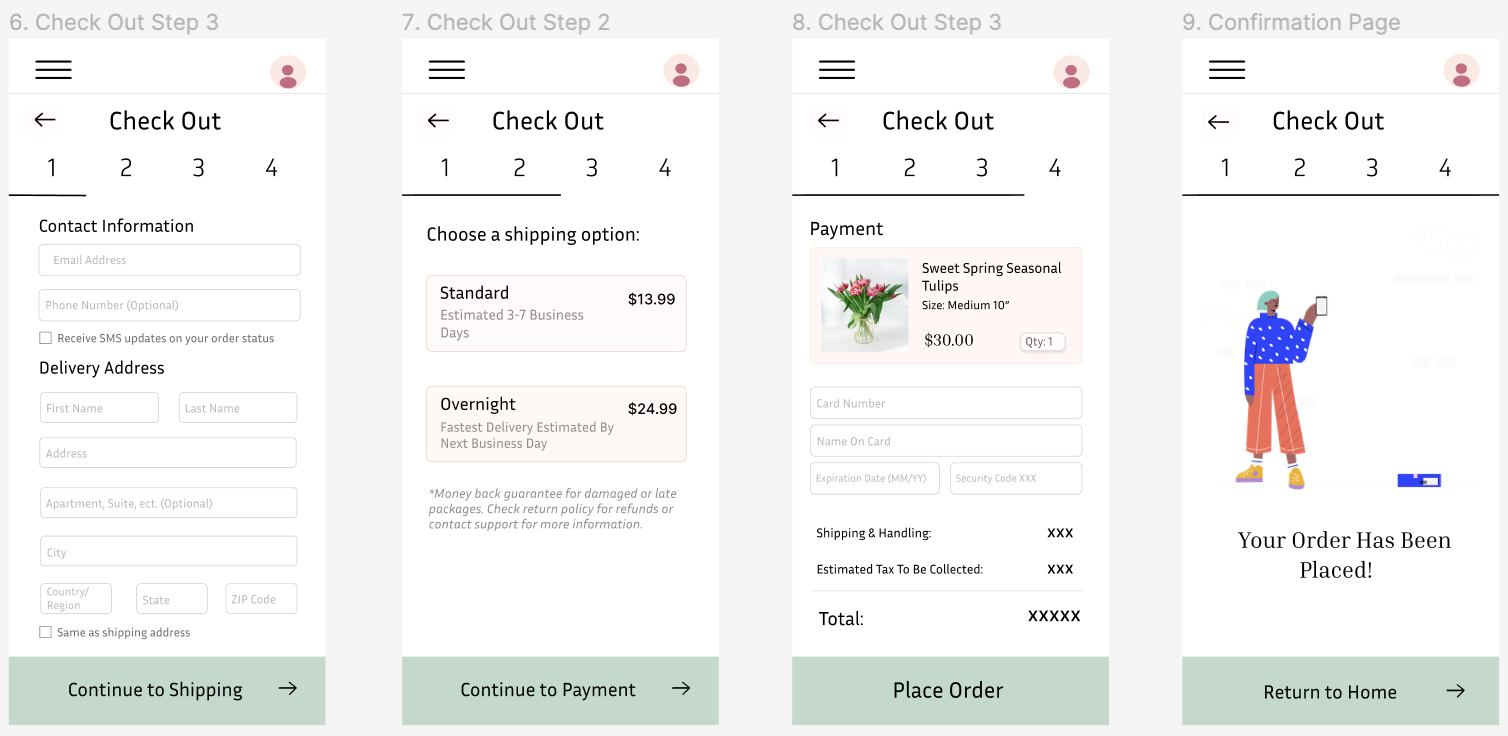
A fresh spring feel
Less is more
Before there were four icons at the bottom, and after the usability study, I narrowed it down to three.
I added more specific categories to the sidebar menu to clean up space
I removed the search bar since it felt crammed and unnecessary to my users.
PRODUCT
The Final Prototype
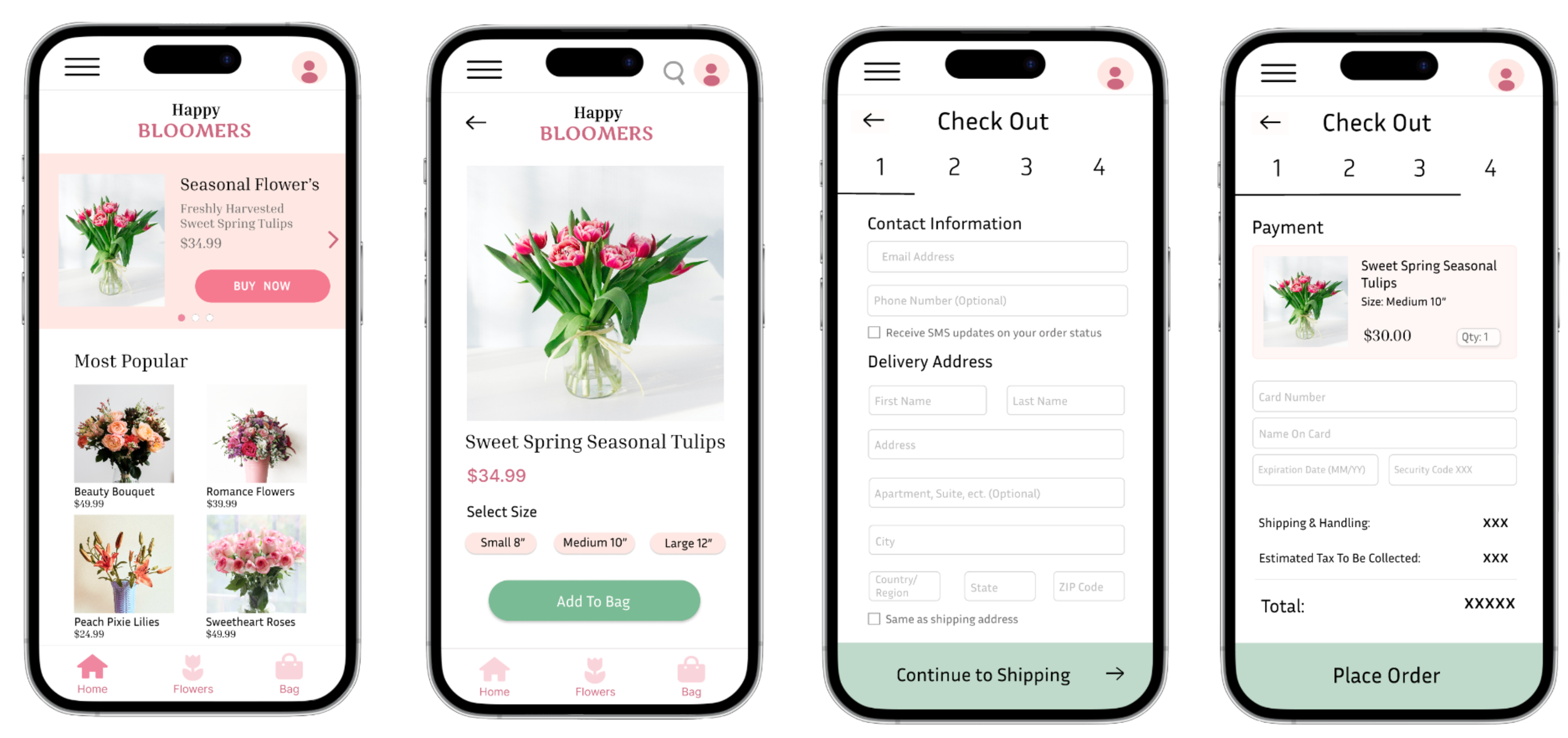
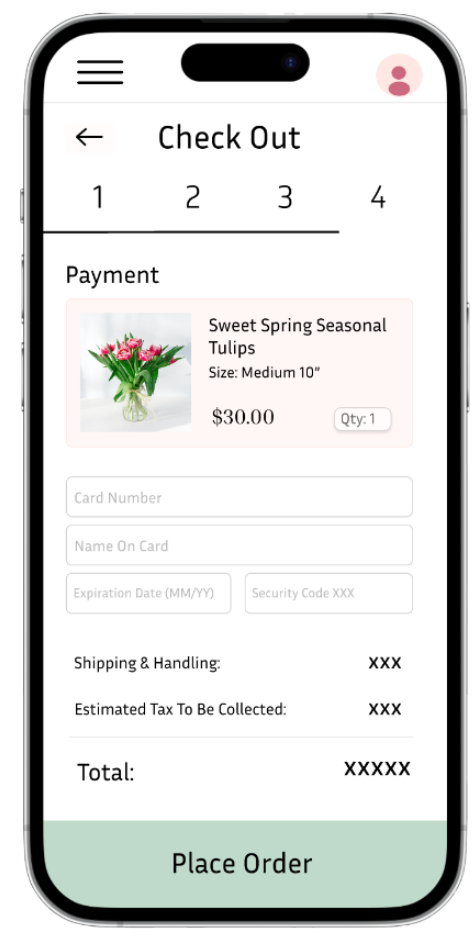
Checkout Options
Before, I had one option for adding contact information, and after I created an SMS updates feature.
Changed “Shipping Address” to “Delivery Address”. That way, people could now check a box at the bottom, “Same as shipping address,” to eliminate the hassle of filling in their information twice.
REFLECTION
My personal Growth
Enrolling in the Google UX Design Certificate helped me learn the fundamental skills of building a product from scratch. I learned just how much I enjoy getting to design a product that others interact with. I’m glad I got to take on this challenge alongside my college classes.
Simplicity is key
While it can be easy to add fun features, icons, and navigation buttons, I learned that my users benefit most from a minimalistic approach. This meant simplifying my bottom toolbar and home page for my users to appreciate the product more.
Building empathy for different users
It can be difficult to know how someone may engage with a product differently from a user like me. Learning that different users have their own idea of what’s intuitive when navigating a page helped me explore more user flow possibilities that I would have never thought of.
Thank you for checking out my work!